



Disclosure: Flodesk gave me early access to Studio while it is in beta. This is my honest take after testing it as a brand and website designer. I’m also a Flodesk affiliate partner, so if you sign up through my link, I may earn a small commission at no additional cost to you.
Email marketing is one of those things I always want to do more consistently.
I know how valuable it is for nurturing relationships with your audience and staying connected beyond social media, but as a small business owner, time is always the challenge.
Between client work, designing websites, creating content, and all the behind-the-scenes tasks that come with running a business, there are only so many hours in a day. And sometimes the things that can help grow your business are the exact things that get pushed aside.
Which is exactly what happened to me.
Why I Decided To Test Flodesk Studio
I was getting ready to leave for vacation when I realized I had forgotten something pretty important: I had launched my summer website template sale, but I hadn’t actually shared it with my email community yet.
The sale was live. The templates were ready. But the email telling people about it? Still sitting on my to-do list.
And if you’re a business owner, you know that feeling. You’re trying to step away and enjoy your time off, but your brain is running through all the things you forgot to finish before leaving.
With only a few hours before my flight, the last thing I wanted to do was spend my final moments before vacation designing an email from scratch.
And well, in hindsight, the timing couldn’t have been better. Because a few days earlier, I remembered Flodesk had emailed me letting me know that Flodesk Studio was officially live in beta.
Sooo, I decided it was the perfect opportunity to put it to the test.
Wait… What Is Flodesk Studio?
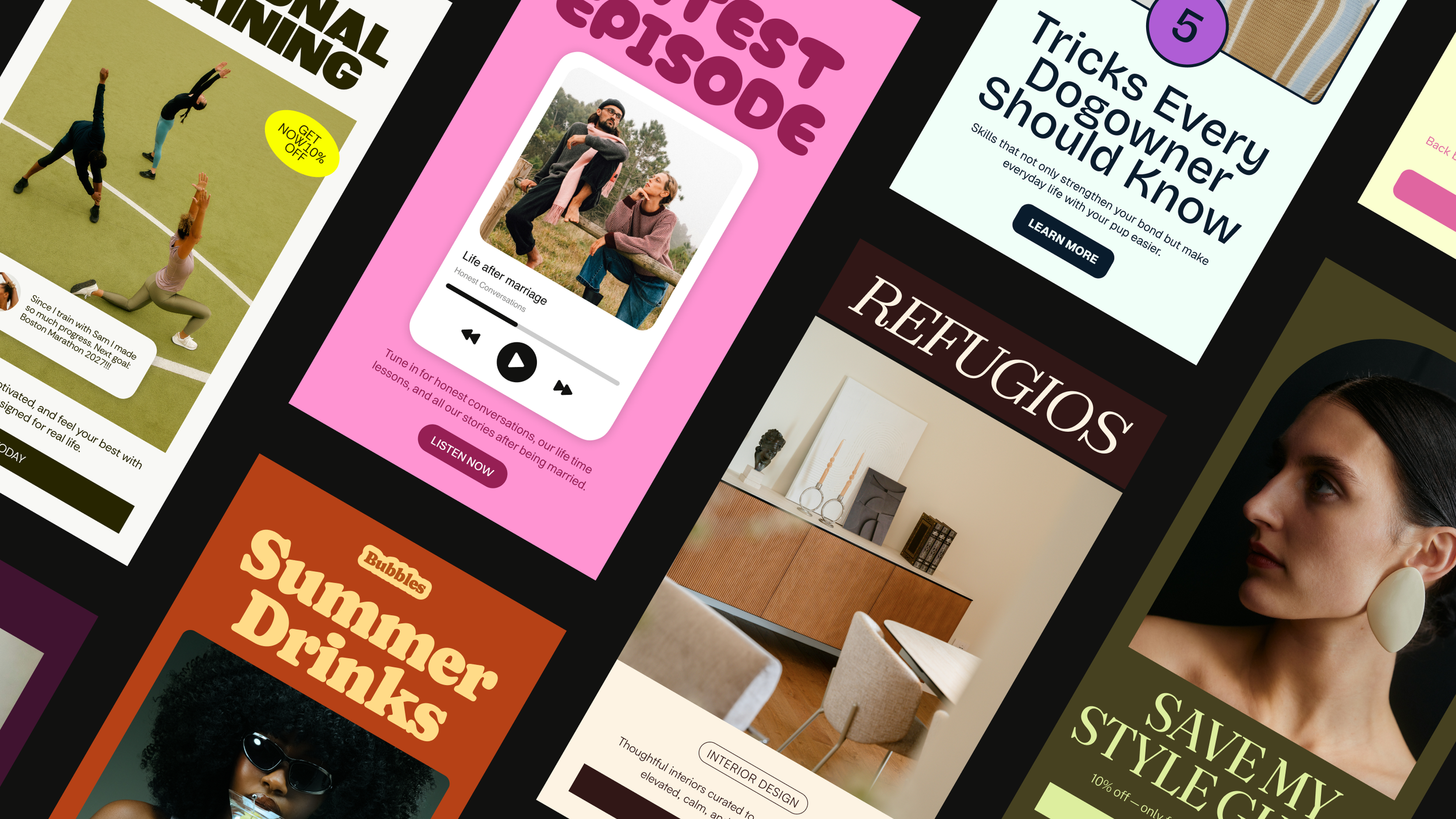
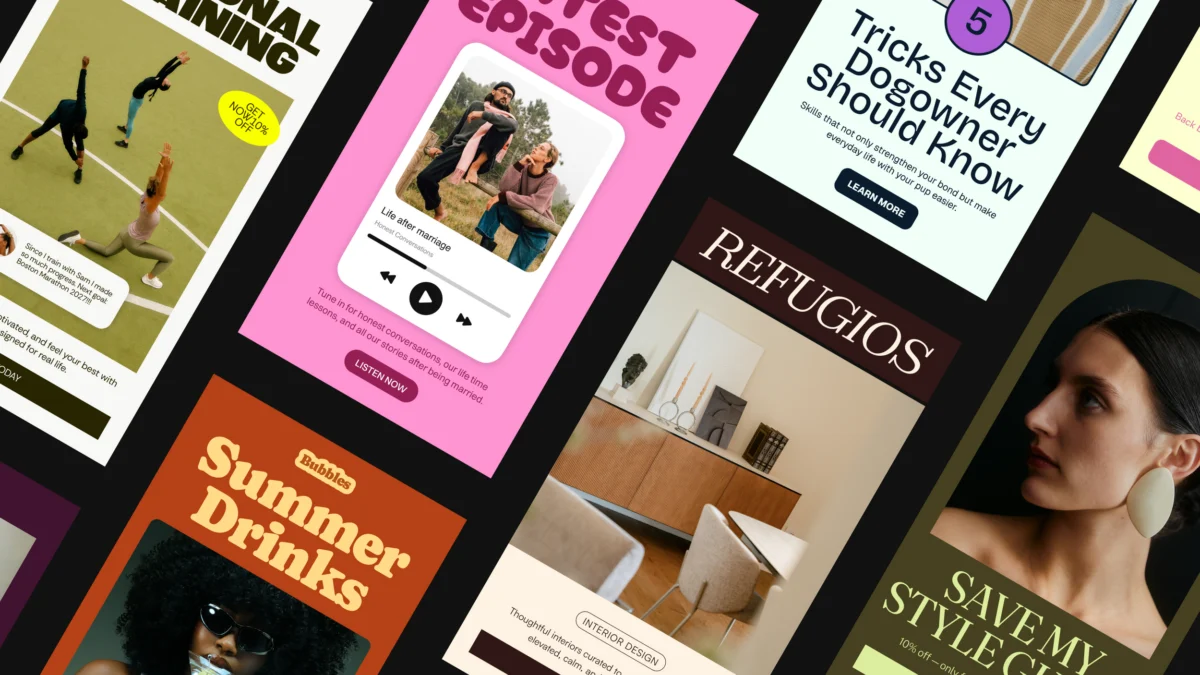
Flodesk Studio is a new email design app that helps you create beautifully designed emails. Built by the world’s top designers, accelerated by AI, and finished by you.
The way it works is simple: you describe the email you want to create, and Studio generates a starting point that you can refine, customize, and make your own.
The part that immediately stood out to me is that it’s not about replacing creativity.
As a designer, that was probably my biggest hesitation with AI tools. I don’t want a tool that creates something generic and removes the human element. I want something that helps me move faster while still allowing me to make intentional creative decisions.
That’s where I think Studio shines as an email design app.
My Experience Using Flodesk Studio To Create A Summer Sale Email
Now that you know the BTS story behind why I tested Flodesk Studio, let’s get into what the actual experience looked like. I wanted to see how it would handle a real campaign, so I used it to create the summer sale email I needed to send before heading off on vacation.
Setting Up My Brand Kit
Since I’m a brand designer, this was probably the part I was most curious about. A beautiful email is great, but if it isn’t applied properly, it can feel completely disjointed from the rest of your marketing.
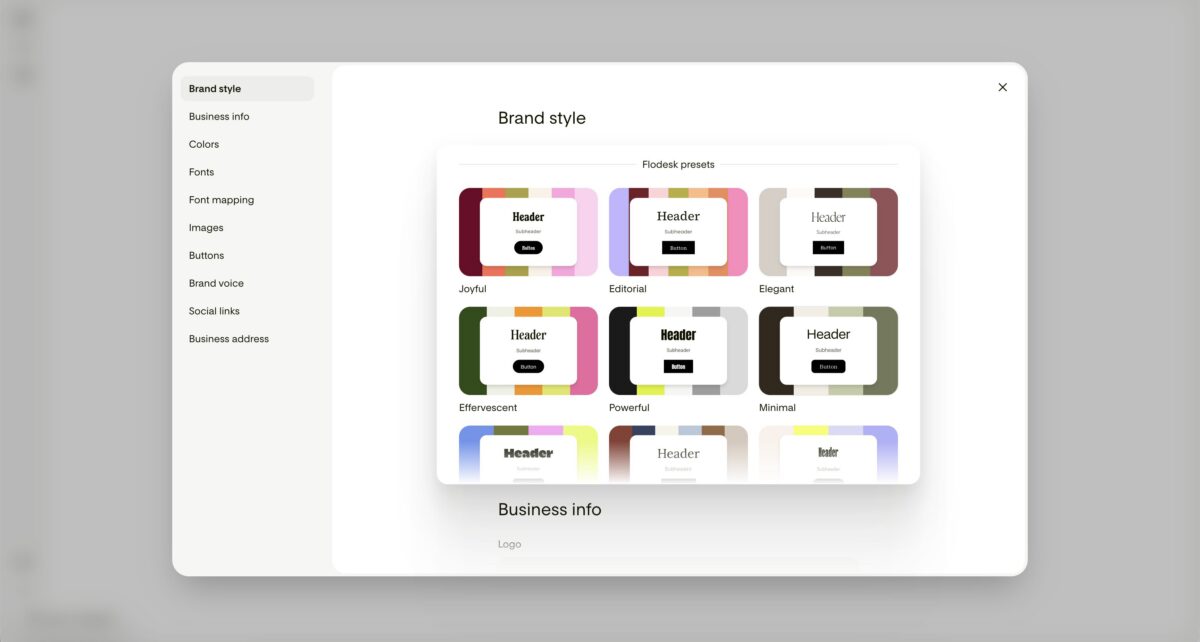
Studio allows you to add your brand fonts and colors, and it uses those details to create email layouts that feel more aligned with your existing visual identity. Additionally, it also asks you to describe what you do and what your brand voice sounds like to get to know you better. You also are able to upload your logo, headshot images, and social links.
If you don’t have a brand yet, Studio also includes pre-made brands you can use as a starting point, which I think is especially helpful for newer business owners who are still figuring out their visual direction.
Start Your Email With A Prompt
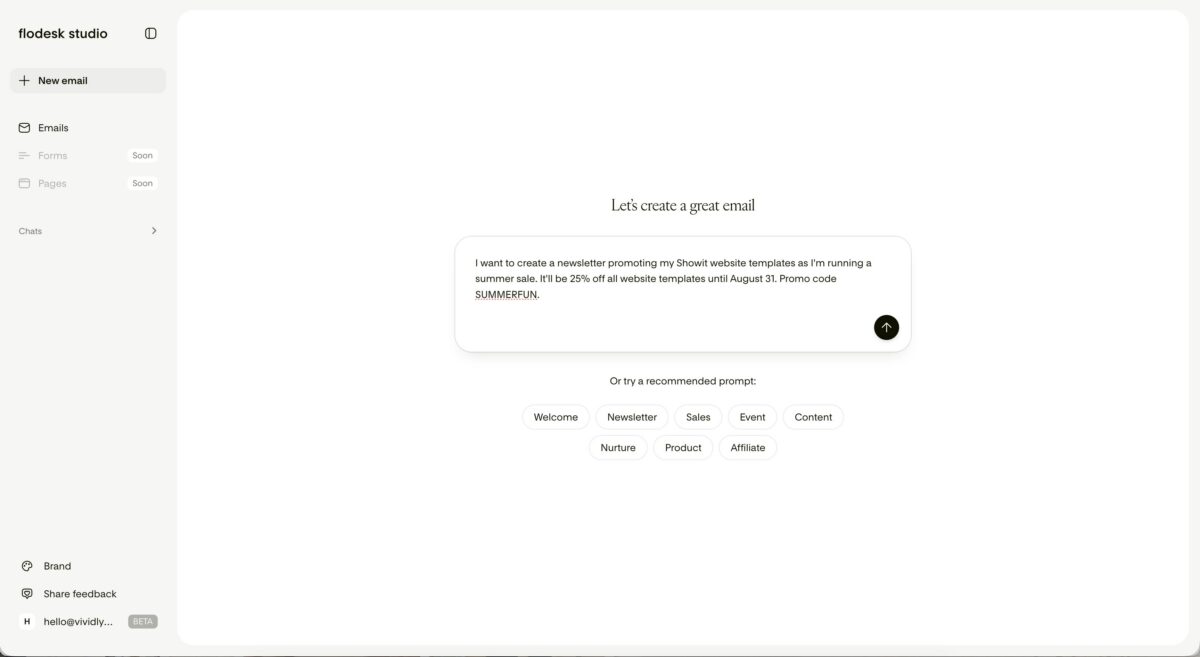
The first step was telling Studio what I wanted to create.
One thing I immediately noticed is that you don’t need to have the “perfect” prompt to get started. You can be as simple or detailed as you want, depending on how much direction you already have.
For my first prompt, I kept it pretty straightforward: Create a summer sale email promoting my Showit website templates. 25% until August 31.
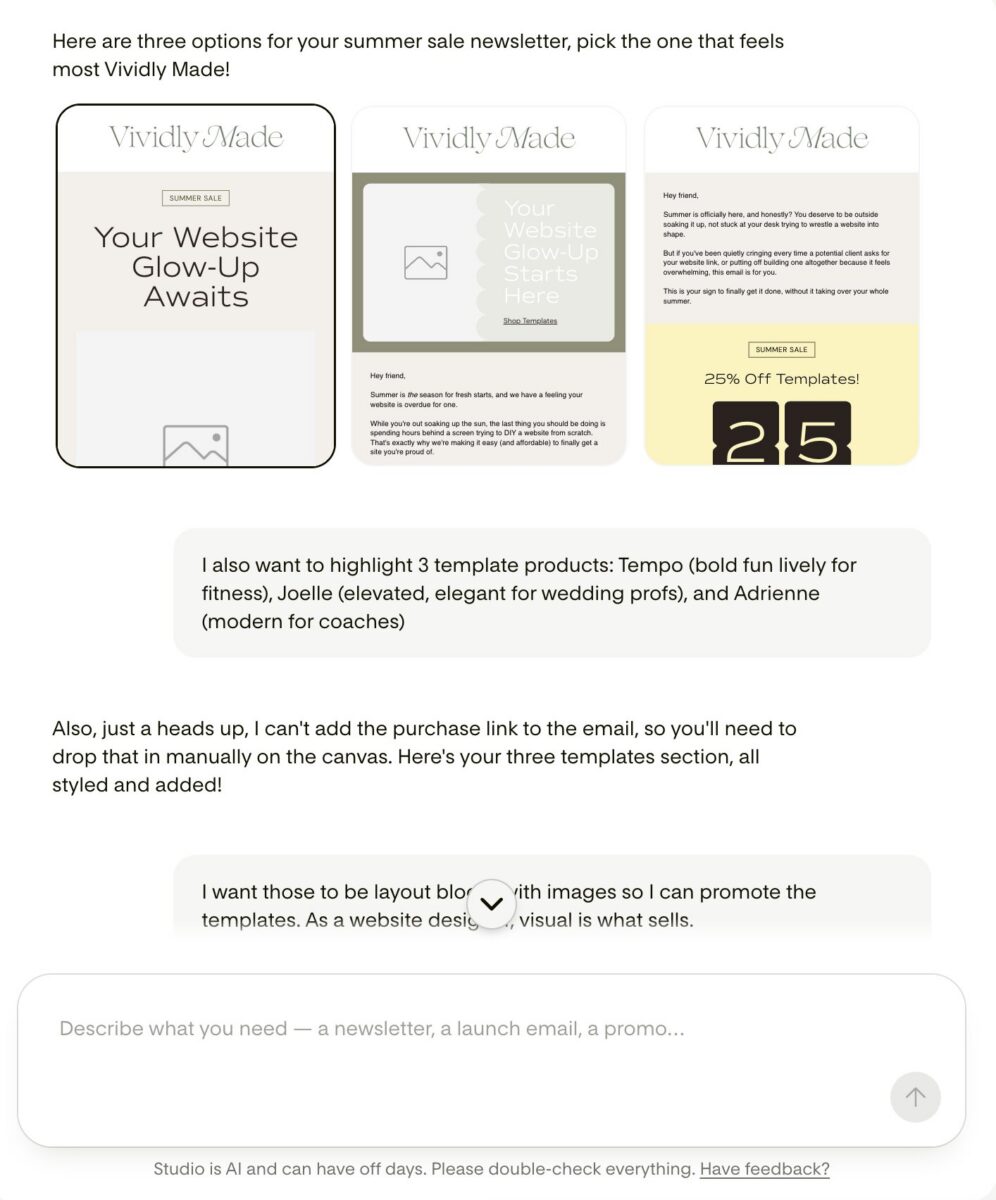
From there, Studio generated multiple email directions for me to explore.
But if you already have your messaging written or a very specific vision in mind, you can provide much more detail. You can include your audience, the goal of the email, the tone you’re going for, specific sections you want included, or even paste your existing email copy directly into Studio.
What I liked about this process is that it didn’t feel like I needed to know exactly what I wanted before opening the tool. I could start with an idea, see where it went, and then refine from there.
Exploring The Layout Options
This was probably my favourite part of the experiment.
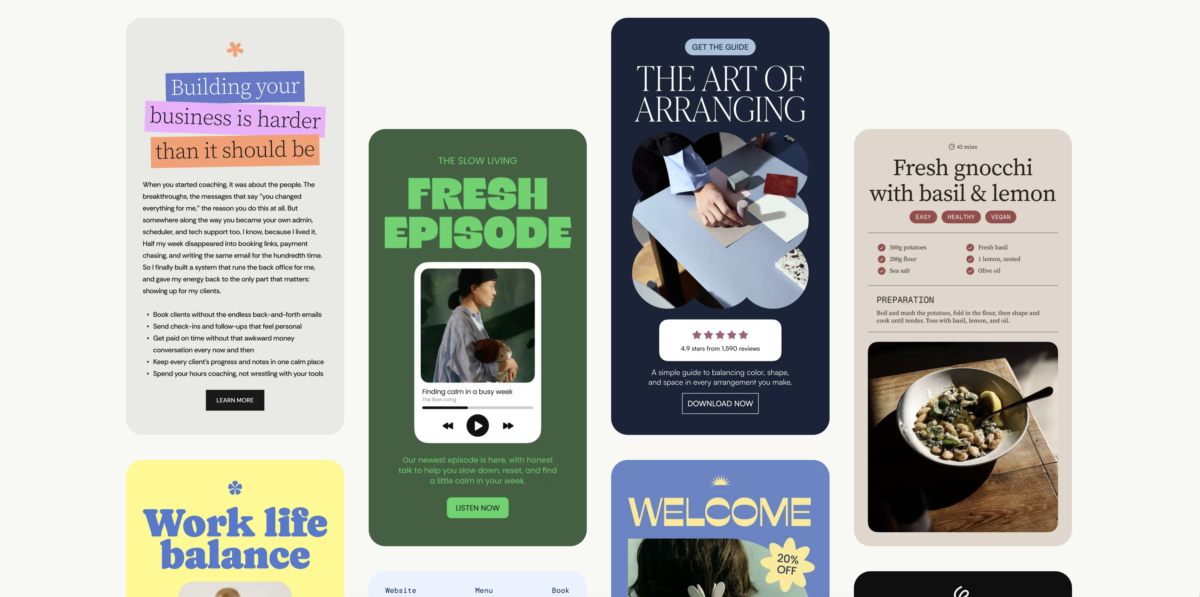
Instead of giving me one design option and calling it done, Studio shared multiple layout directions to choose from!
This is where I noticed the difference between AI that simply generates something and AI that is built with (human) design thinking behind it. The layouts felt intentional. The spacing, hierarchy, and structure felt like they were created with the way people actually read emails in mind. It’s not just yet another AI tool.
Ultimately, I don’t want AI to replace creativity. I want it to help me get through the more time-consuming parts so I have more energy for the creative decisions that actually make something feel unique.
Refining The Email
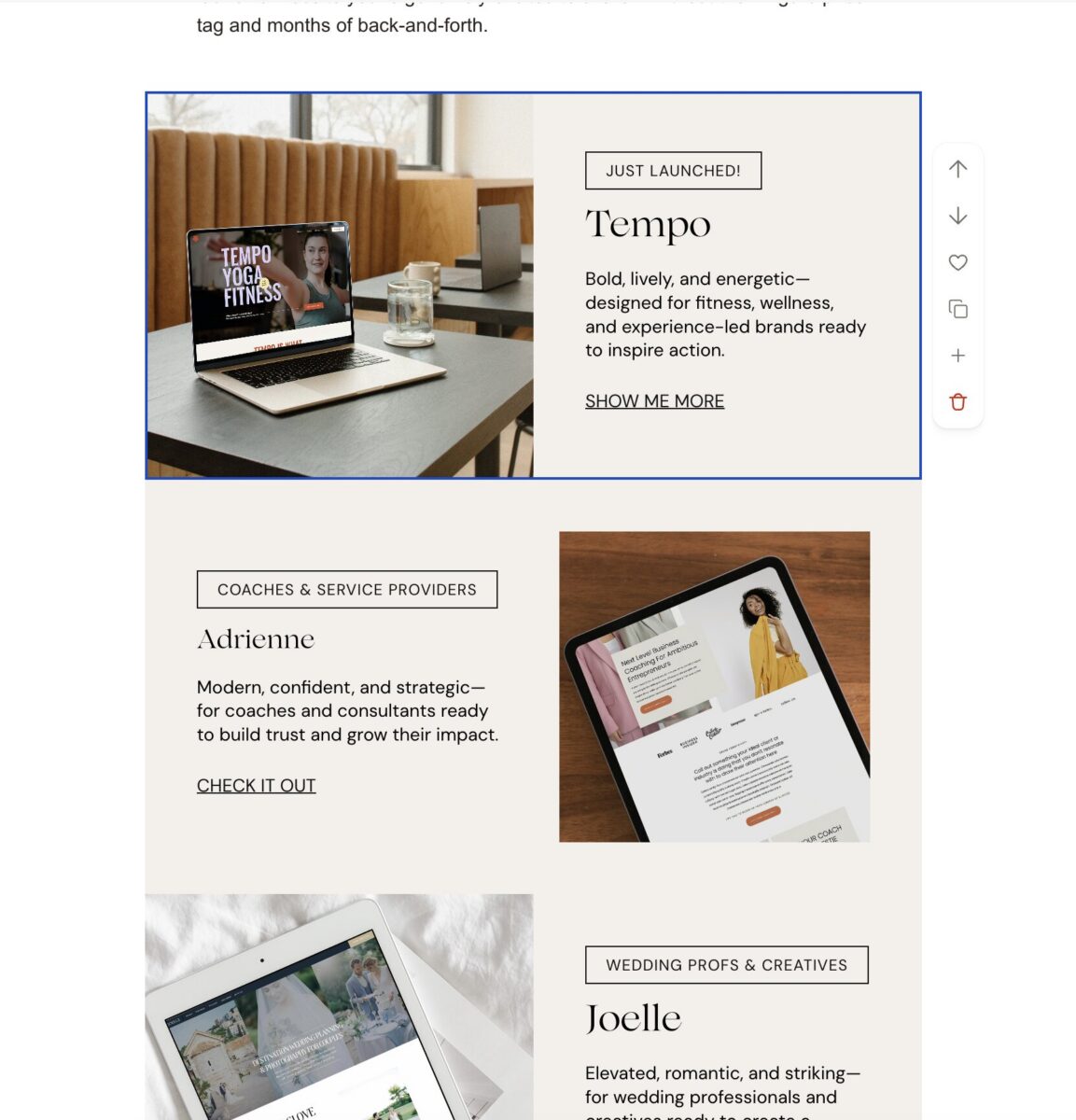
Once I found layout blocks I like, I continued tweaking them more so that everything flows more naturally and aligned with my brand. This is where I think the balance of Studio really shines.
You can continue chatting with Studio to make updates, such as:
- adding a new section
- changing the tone of the copy
- adjusting the layout
- creating another variation
Or you can manually edit things yourself.
I personally liked having both options available because sometimes I knew exactly what I wanted to change, and other times I wanted to experiment and see what direction Studio suggested.
Exporting The Final Email
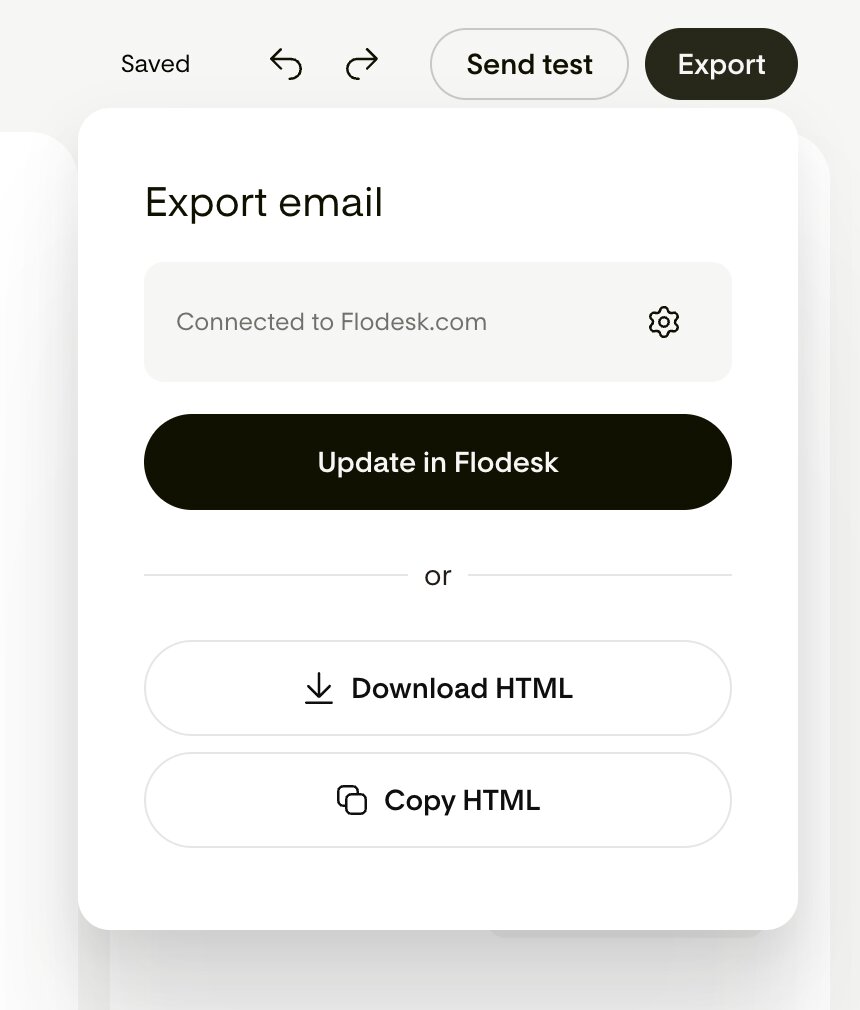
Once I was happy with the email, all I had to do was press a button, export it, and send it through my email platform! Since I already use Flodesk, the process was seamless and I could bring the design directly into my account without minutes.
But what’s super cool here is that Studio isn’t limited to Flodesk users. You can export the HTML and use it with other email platforms like Mailchimp, Kit, and other providers that support HTML!
What I love about this feature is that it opens up better email design for more business owners, regardless of which platform they use. It feels less about keeping people inside one ecosystem and more about making the creative process more accessible.
With that said, here is the final email that Flodesk Studio helped create! You can also view it live here.
My Honest Review Of Flodesk Studio: What I Loved & What I Didn’t
What I Loved:
✓ It genuinely saves time… like a lot.
The biggest benefit for me was skipping the blank page. Having a strong starting point meant I could focus on refining instead of spending hours figuring out structure and layout. It completely lowers the barrier to actually getting started.
✓ It still feels creative AND collaborative.
I never felt like I was handing over my brand completely. I was still making decisions, adjusting details, and adding my own perspective, which I appreciate as a designer!
✓ The layouts feel elevated.
As someone who cares deeply about design, I appreciated that the output felt thoughtful instead of generic. It totally removes the blank-page paralysis we’ve all experienced as well as the visual noise of old-school editors that we’ve seen.
What I Didn’t Love:
✓ Minimal Control Over Brand Colors
One thing I would love to see improved is having a little more control over how your colors are applied. Right now, you can upload your brand colors, but you can’t specify which ones are your primary, secondary, or accent colors. Because of that, there were a few moments where I spent a wee more time than I wanted to manually adjust the colors afterwards.
Not a huge issue, but something I’d love to see added in the future.
✓ I wish Flodesk Studio and Flodesk had deeper integration.
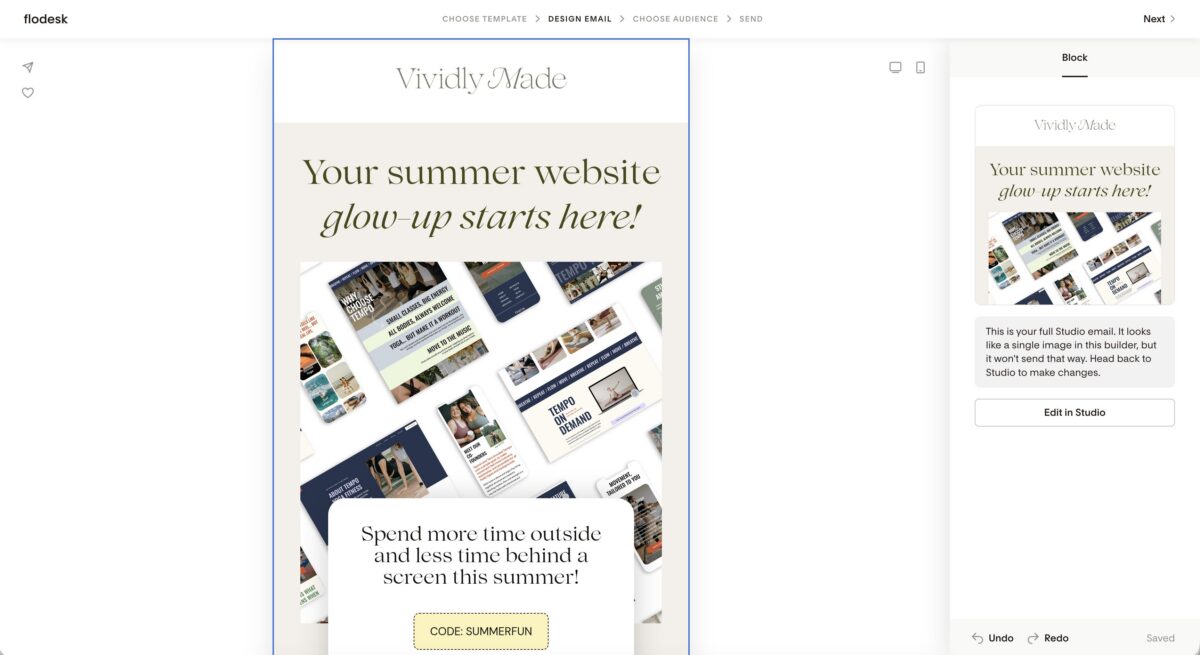
Since I already use Flodesk, I was hoping that once I exported my email into my account, I’d be able to continue editing some of my existing custom blocks. For example, I have a custom Instagram section and footer that I use in my emails, but those weren’t editable within Studio.
I completely understand why this works differently from an HTML perspective—especially since Studio supports other email platforms—but I was hoping there would be a little more flexibility for existing Flodesk users.
Who Is Flodesk Studio Best Suited For?
After using Flodesk Studio, I don’t think it’s a tool that is only helpful for people who “aren’t designers.” In fact, as a designer, I found it really interesting because it helped speed up the parts of the process that usually take the most time: figuring out the initial direction, exploring layouts, and getting past that blank page.
Flodesk Studio is especially helpful for:
🌟 Small business owners who want to be more consistent with email marketing
If you’ve been telling yourself you should be sending more emails but the thought of creating every campaign from scratch feels overwhelming, this is where I think Studio can be really helpful.
Sometimes the hardest part isn’t knowing what you want to say… it’s finding the time to turn that idea into something polished and ready to send. In my opinion, Studio helps shorten that gap between “I have an idea” and “my email is ready to be sent.”
— Business owners who care about their brand experience
If you’ve invested time into creating a brand you love, it makes sense that you’d want your emails to feel like an extension of that same experience.
Studio is especially useful for business owners who don’t want to send generic-looking emails, but also don’t have hours to spend designing every campaign.
Try Flodesk for free for 14 days and get 25% off your first year!
— Creatives who want a faster starting point
As someone who works in design, I actually enjoyed using Studio because it didn’t feel like it was taking over the creative process. Instead, it gave me a foundation to build from. I could explore different directions quickly, then step in with my own creative decisions and brand knowledge.
— Newer business owners who are still building their visual identity
If you don’t have a fully developed brand yet, Studio also includes pre-made brand options you can start with.
I think this makes it a nice entry point for newer business owners who want their marketing to feel elevated but may not be ready for a full branding investment yet.
Ultimately, I think Flodesk Studio is best for someone who values good design but also values their time. Because as business owners, we’re constantly balancing the things we want to do with the things we realistically have time for… and sometimes the best tools are the ones that help us actually follow through on the ideas we already have.
Right now, Flodesk Studio is free while it is in beta. You can sign up and start creating without needing a credit card, and you don’t need to commit to anything while you test it out.
Frequently Asked Questions About Flodesk Studio
Do I need a Flodesk account to use Flodesk Studio?
Nope! You don’t need to already be a Flodesk user to try Studio. This was actually something I appreciated because it makes the tool feel more accessible, especially if you’re currently using another email platform but want to experiment with a different way of designing your emails.
You can create your email design inside Studio, then export the HTML to use with other email platforms that support HTML emails, including platforms like Mailchimp and Kit.
If you are already a Flodesk user (like I am), the experience feels especially seamless because you can move your design into your Flodesk workflow once you’re happy with it.
What’s the difference between Flodesk and Flodesk Studio?
This is probably the biggest distinction to understand: Flodesk Studio is an email design tool, not where you manage your subscribers, build automations, or track your email analytics.
I think of it more like the creative studio where the email comes to life.
You’re using Studio to figure out the look, layout, and overall design direction of your email. Then Flodesk (an actual email marketing platform) is where you actually send it to your audience.
Related Post: Flodesk Review: The Best Email Marketing Platform for Creatives
How does Flodesk Studio work?
The easiest way to explain it is: you tell Studio what you want to create, and it helps you bring that idea to life.
You can start with a simple prompt, like “create an email sharing my new podcast episode,” or you can get much more specific by adding your audience, your brand style, your messaging, and even your existing email copy.
From there, Studio creates design options based on your direction. You can continue refining the email by chatting with Studio, or you can manually adjust things yourself.
What I personally love about this process is that it doesn’t feel like you’re handing over your creativity. It feels more like having a creative starting point when you don’t have hours to spend staring at a blank screen.
How much does Flodesk Studio cost?
Right now, Flodesk Studio is free while it’s in beta, and you don’t need a credit card to try it. So if you’ve been curious about experimenting with it, this is honestly the best time to play around with it and see if it fits into your workflow.
Final Thoughts: Is Flodesk Studio Worth Trying?
After testing the Flodesk Studio beta for myself and seeing how it could create an email from scratch in minutes, my answer is a HECK YES.


FREE One-Page Showit Website Template
Take Showit For A Spin
Bringing your designer into your photoshoot ensures every image is intentionally aligned with your website, messaging, and designed to convert, not just look beautiful!

Why Work With A Website Designer When Planning A Brand Photoshoot
Finally, a design-forward AND user-friendly email marketing tool that makes sending emails fun again while bringing in actual conversions and results!

Why Flodesk Is The Best Email Marketing Platform For Small Business Owners
Read the post →
Readers' Favorites
read the post →


 connect with me on the gram!


© Vividly Made 2020-2026


